Introduction
In the realm of database management, ensuring data security and compliance is
crucial. Organizations need a reliable way to track and record database
activities. Teradata Audit Trail provides a structured mechanism for logging
all database interactions. It meticulously records who accessed the data, what
actions were performed, and when these actions occurred.
This audit trail plays a pivotal role in maintaining data security and adhering to regulatory standards such as GDPR and HIPAA. While Teradata offers robust auditing capabilities, integrating advanced
solutions like DataSunrise can enhance security even further.
Native Audit Trail in Teradata
Teradata’s built-in audit trail provides essential insights into database
activities. It helps organizations enforce security policies and meet
compliance requirements effectively.
How Teradata Audit Works
The Database Auditing Facility (DBAF) logs various activities, making it
easier for administrators to monitor user actions and detect unauthorized
access attempts. These logs serve as a valuable resource for compliance
reporting and real-time threat detection.
To improve security oversight, organizations must leverage Teradata’s audit
functionalities to generate reports. These reports assist in identifying
patterns of suspicious activities before they escalate into security breaches.
Setting Up Audit Rules
Teradata allows administrators to define logging rules using the BEGIN LOGGING statement. These rules determine which actions
should be recorded in the audit logs, stored in DBC.AccLogTbl.
To monitor SELECT, INSERT, UPDATE, and DELETE actions on a specific table, use:
BEGIN LOGGING ON EACH SELECT, INSERT, UPDATE, DELETE ON TABLE database_name.table_name; By enabling this logging rule, organizations can track every change made to
the table. As a result, data integrity and security are significantly
improved.
To log every action performed by a specific user, use:
BEGIN LOGGING ON EACH ALL BY "username"; This command ensures comprehensive activity tracking for that user. Moreover,
it helps detect unusual behaviors that might indicate security threats.
Querying Audit Logs
Audit logs are stored in DBC.AccLogTbl. To retrieve logs for a
specific user, use:
SELECT * FROM DBC.AccLogTbl WHERE LogonUser = 'username'; This query fetches relevant log entries, allowing administrators to monitor
database interactions in real time. Timely analysis of these logs aids in
compliance enforcement and security investigations.
Analyzing and Interpreting Audit Logs
Once audit logs are collected, it is crucial to analyze them effectively.
Administrators should look for patterns indicating unauthorized access
attempts, unusual login times, or multiple failed authentication attempts.
Implementing automation tools to filter and flag potential security risks can
save time and improve response times.
For instance, organizations can use SQL queries to identify excessive login
failures:
SELECT LogonUser, COUNT(*) AS FailedAttempts
FROM DBC.AccLogTbl
WHERE EventType = 'FAILED_LOGIN'
GROUP BY LogonUser
HAVING COUNT(*) > 5;
Such insights help security teams take immediate action to prevent potential
breaches.
For more information, refer to the Teradata documentation.
Enhancing Teradata Audit Trail with DataSunrise
While Teradata’s native audit capabilities provide robust security,
integrating DataSunrise offers additional flexibility and protection. It extends auditing, monitoring,
and data masking features across different database environments.
Key Features of DataSunrise
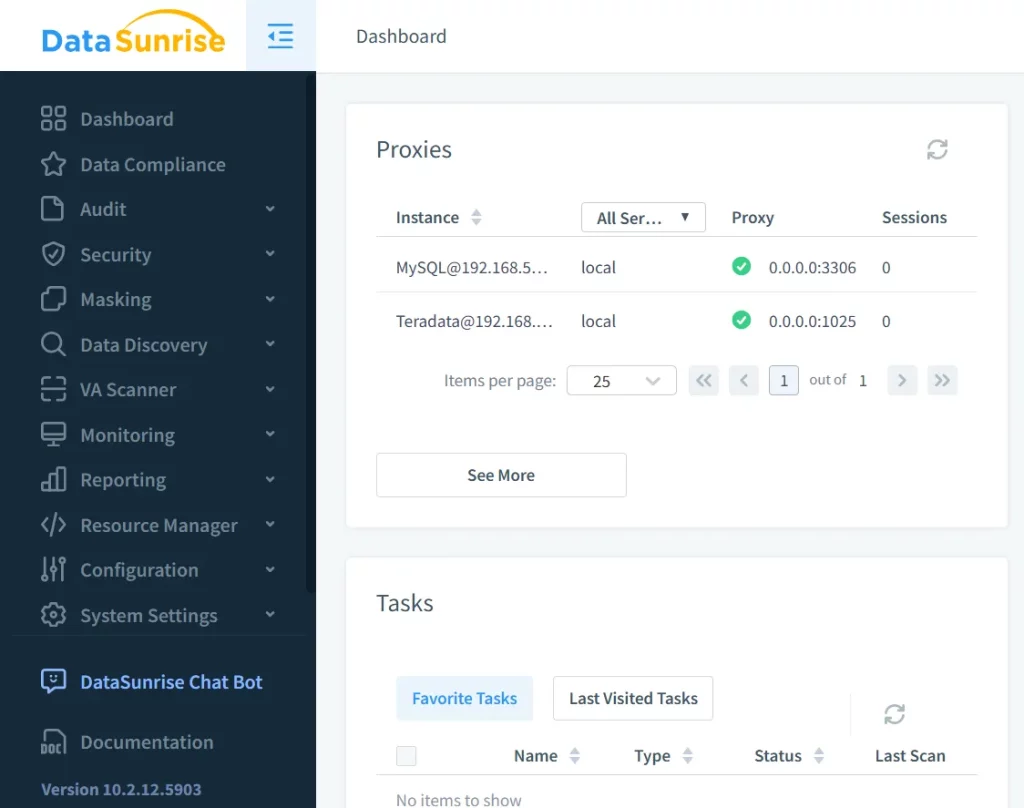
With DataSunrise, organizations gain real-time visibility into database
activities. Suspicious access attempts can be detected instantly, ensuring
swift response to security incidents.
Customizable Compliance Auditing
DataSunrise enables users to define audit rules tailored to compliance
standards like GDPR and HIPAA. This customization ensures that businesses meet
industry regulations efficiently.
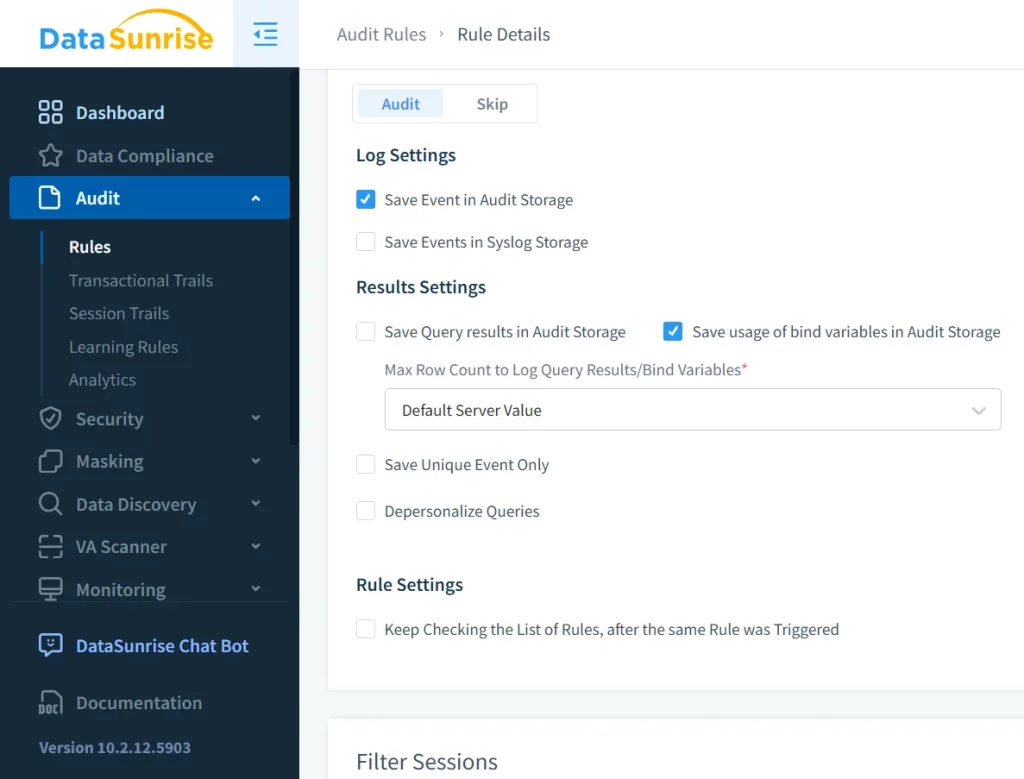
Advanced Audit Logging and Reporting
DataSunrise offers detailed audit logs with visual dashboards, making security
analysis easier. Additionally, reports can be customized to fit specific
regulatory requirements, allowing businesses to streamline compliance efforts.
Organizations can schedule automated reports and send them to relevant
stakeholders to ensure continuous monitoring.
Real-Time Alerts and Threat Detection
Security teams receive real-time alerts for suspicious activities, enabling a
proactive security stance. These alerts can be configured to notify multiple
stakeholders simultaneously, ensuring rapid incident response. Organizations
can set up alerts for events such as excessive failed login attempts,
unauthorized data access, or unexpected query executions.
Dynamic Data Masking
Dynamic data masking protects sensitive data while maintaining database functionality. By
concealing confidential information, organizations can prevent unauthorized
data exposure without disrupting daily operations. This feature is especially
useful for businesses handling sensitive customer information, as it ensures
compliance with privacy regulations.
Integration with Security Information and Event Management (SIEM) Systems
DataSunrise can be integrated with SIEM solutions such as Splunk and IBM
QRadar, allowing security teams to centralize audit logs and correlate data
across multiple security tools. This integration provides a holistic view of
security threats, ensuring a well-coordinated response to incidents.
Conclusion
Understanding Teradata Audit Trail is crucial for securing sensitive data and
maintaining compliance. While Teradata’s built-in audit features provide
strong tracking capabilities, integrating DataSunrise offers even greater
security enhancements.
With real-time monitoring, customizable audit rules, and automated alerts,
DataSunrise strengthens modern database security frameworks. Implementing
advanced security measures helps organizations mitigate risks, improve
compliance, and maintain data integrity. If your organization is looking to
improve database security, consider booking a personal demo or downloading DataSunrise today.