Introduction
In today’s data-driven world, ScyllaDB audit tools have become
essential for maintaining security and compliance in complex database
environments. ScyllaDB, known
for its high-performance capabilities and Cassandra-compatible
architecture, provides robust auditing features that help organizations
track and monitor database activities. As businesses increasingly rely
on distributed databases for managing sensitive information,
implementing proper database
security measures becomes crucial for protecting data assets and
ensuring regulatory compliance. The need for comprehensive data audit solutions has grown significantly, especially in enterprises dealing
with sensitive customer information and compliance requirements.
ScyllaDB Enterprise Edition includes built-in auditing capabilities
that enable administrators to monitor and log various database
activities. The native audit functionality can be configured through the scylla.yaml configuration file, where administrators can
specify audit categories, target tables, and storage options.
Here’s an example of basic audit configuration in ScyllaDB:
audit: "table"
audit_categories: "DCL,DDL,AUTH"
audit_tables: "mykespace.mytable"
audit_keyspaces: "mykespace"
The audit logs can be stored either in a dedicated ScyllaDB table or
sent to Syslog. When using table storage, the audit information is
structured as follows:
CREATE TABLE IF NOT EXISTS audit.audit_log (
    date timestamp,
    node inet,
    event_time timeuuid,
    category text,
    consistency text,
    table_name text,
    keyspace_name text,
    operation text,
    source inet,
    username text,
    error boolean,
    PRIMARY KEY ((date, node), event_time));
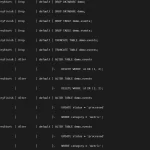
Example of Native Audit Logs
Here is an example of what native audit logs might look like in
ScyllaDB:
SELECT * FROM audit.audit_log;

 date                | node       | event_time                          | category | consistency | table_name | keyspace_name | operation | source     | username | error
---------------------+------------+-------------------------------------+----------+-------------+------------+---------------+-----------+------------+----------+-------
 2024-02-15 10:00:00 | 192.168.1.1| 123e4567-e89b-12d3-a456-426614174000 | DCL      | QUORUM      | mytable    | mykespace     | SELECT    | 192.168.1.2| admin    | false
 2024-02-15 10:05:00 | 192.168.1.1| 123e4567-e89b-12d3-a456-426614174001 | DDL      | QUORUM      | mytable    | mykespace     | CREATE    | 192.168.1.2| admin    | false
 2024-02-15 10:10:00 | 192.168.1.1| 123e4567-e89b-12d3-a456-426614174002 | AUTH     | QUORUM      | mytable    | mykespace     | LOGIN     | 192.168.1.3| user1    | false
 2024-02-15 10:15:00 | 192.168.1.1| 123e4567-e89b-12d3-a456-426614174003 | DCL      | QUORUM      | mytable    | mykespace     | UPDATE    | 192.168.1.4| user2    | true
In this example, the audit logs capture various database activities,
including SELECT and UPDATE operations (DCL), CREATE table (DDL), and
login attempts (AUTH). Each log entry includes details such as the event
time, category, consistency level, table and keyspace names, operation
type, source IP, username, and whether the operation resulted in an
error.
ScyllaDB’s native
auditing features support various audit categories, including DCL
(Data Control Language), DDL (Data Definition Language), AUTH
(Authentication events), and ADMIN (administrative operations). This
granular control allows organizations to focus on specific types of
database activities that require monitoring.
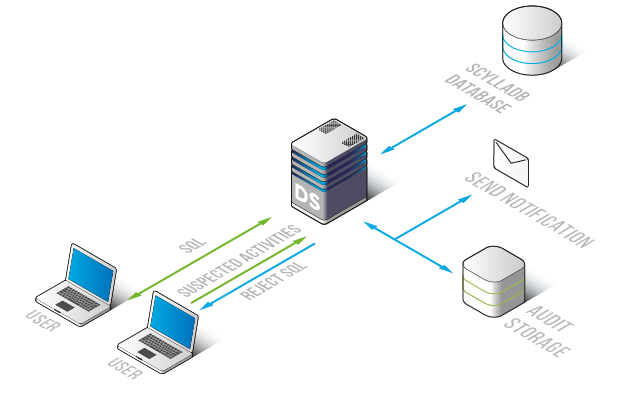
DataSunrise extends ScyllaDB’s native audit capabilities by providing
a comprehensive database
activity monitoring solution. As a dedicated security platform,
DataSunrise offers enhanced auditing features specifically designed for
ScyllaDB environments.
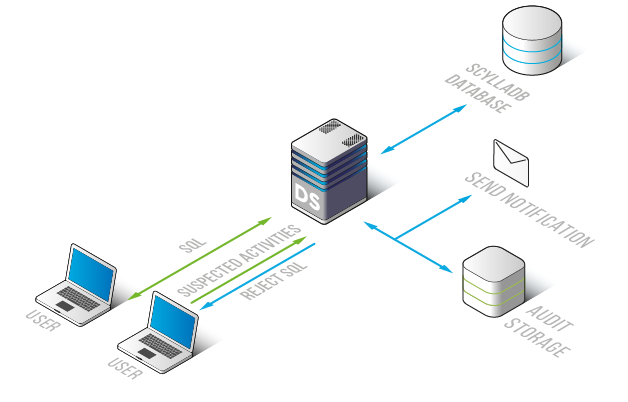
The platform provides real-time monitoring of database activities,
with detailed audit trails that capture every interaction with the
database. DataSunrise’s ScyllaDB audit tools include advanced features
such as privileged user monitoring, query analysis, and automated
compliance reporting.
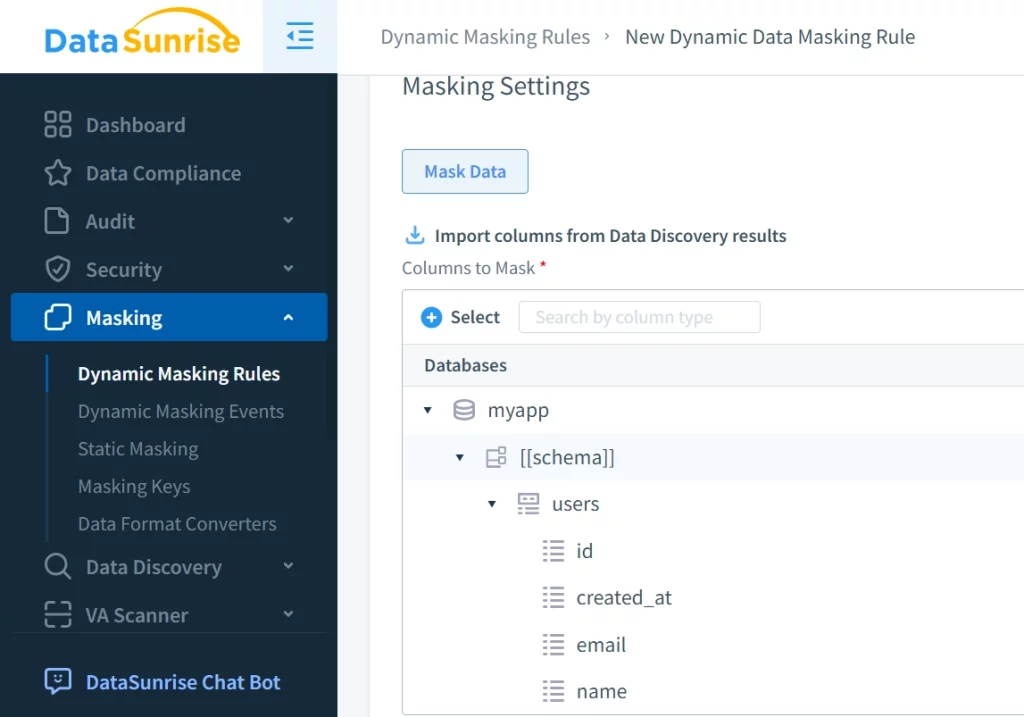
DataSunrise’s ScyllaDB
Data Activity History functionality maintains comprehensive logs of
all database operations, enabling organizations to track changes,
investigate incidents, and demonstrate compliance with various
regulatory requirements.
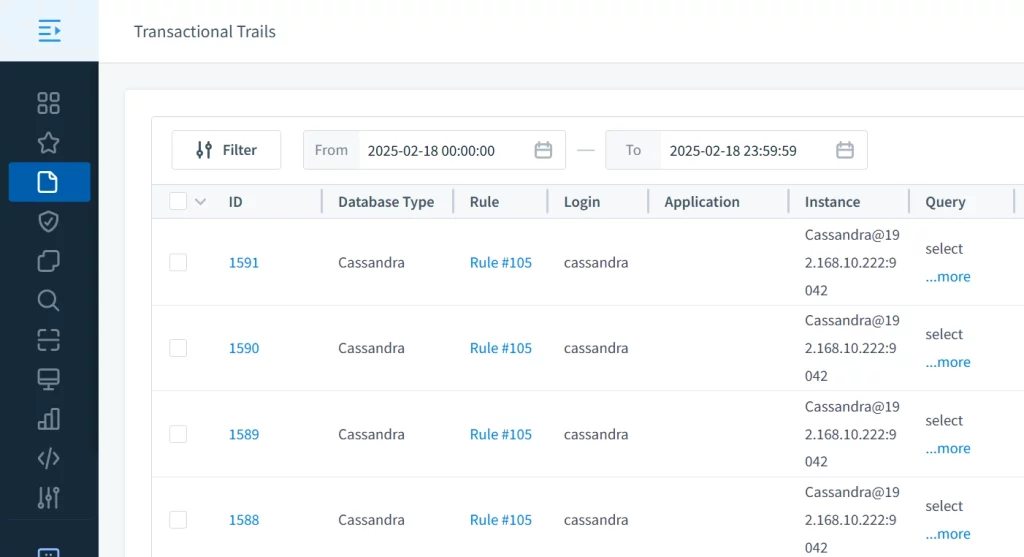
The solution’s audit capabilities help organizations maintain
detailed records of database access patterns, modifications, and
potential security threats, while providing easy-to-use interfaces for
reviewing and analyzing audit data.
Conclusion
ScyllaDB audit tools play a vital role in maintaining database
security and compliance. While ScyllaDB’s native auditing features
provide essential monitoring capabilities, DataSunrise offers a more
comprehensive solution for organizations requiring advanced security and
compliance features. To experience the full potential of DataSunrise’s
ScyllaDB security solutions, interested users can schedule a
personalized demo or download the trial
version to evaluate its capabilities firsthand.